UGC
Appeals workspace

At a glance
Key capabilities
What UGC focuses on before you open the full module list.
Plus 4 additional modules in the operator portal—see the full list below.
Overview
Account restriction workspace
How this build fits ranked, Turbo, and patch-day workflows.
UGC helps you organize appeals and follow-ups when access is limited—automation for paperwork, not a promised reversal.
When the platform flags hardware, follow partner or portal guidance in your order email.
What UGC covers
UGC is an appeal and case-tracking workspace for restrictions and security flags—it organizes evidence and follow-ups, not a guaranteed unban.
Expectations
Some bans cannot be reversed. When hardware is flagged, follow your portal or partner guidance—UGC handles account appeal paperwork only.
Modules
What's included
Every module and overlay shipped with UGC—toggle and tune in the operator portal.
- Appeal workflow templates
- Dispute follow-up tracking
- Case documentation structure
- Status notes
- Evidence upload layout
- Timeline tracker
- Response draft helpers
- Multi-platform scope notes
Experience
In the client · After you buy
Use the screenshots above for UGC—below is what each layer means and how access works after checkout.
In-game layers
- Layer A
Loadout moment
Keep trigger and aim settings conservative until you verify behavior.
- Layer B
Season context
Rebuild presets after major balance or anti-cheat updates.
- Layer C
Caution
Treat every build as temporary—check status after patches.
Guides
Learn more about UGC
Curated articles for setup, tuning, and patch-day checks that match this product.

Pause play, read status, reload conservative profiles, then retest offline.

When hardware rotation helps versus when you need fresh accounts or appeals.
Portal access, order email hygiene, and avoiding fake loader links.

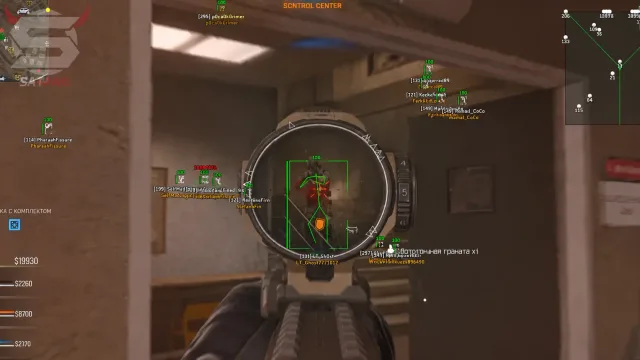
Player overlays on MW4: scale box size, snaplines, and squad colors before the HUD turns to noise—distance caps keep 6v6 callouts readable without clutter on PC.
Stream proof for MW4 cheats: hide capture feeds while overlays stay on your display—OBS checklist so recordings stay clean while player callouts and radar stay off the tape.
Triggerbot delay and hold key for MW4: match timing to sensitivity so sprays stay believable—use a short delay plus hold key gating so bursts stay.
FAQ
Questions about this page
Answers tied to what you are reading—visit the FAQ page for every topic.